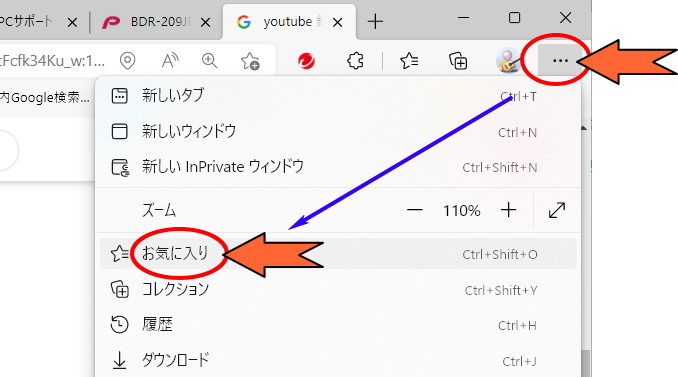
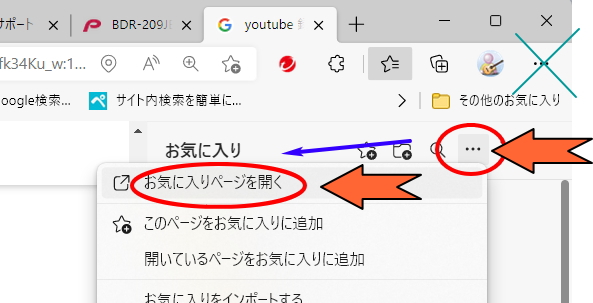
edge(エッジ)by マイクロソフトのお気に入り をまとめて削除する方法の紹介です。エッジはウィンドウズで使う、ホームページ表示ソフトです。最近は、昔のインターネットエクスプローラが使えなくなってしまって、不便に感じている方が増えています。すこしづつ便利操作を紹介します。
まずは、edge(エッジ)を起動させてくださいね。

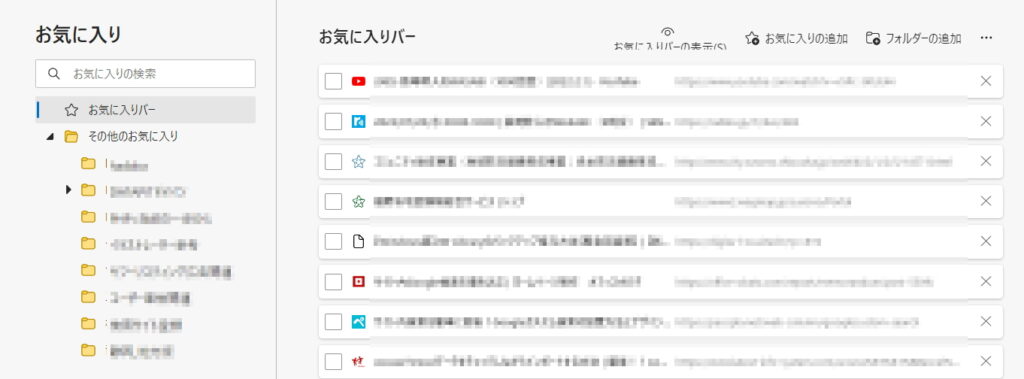
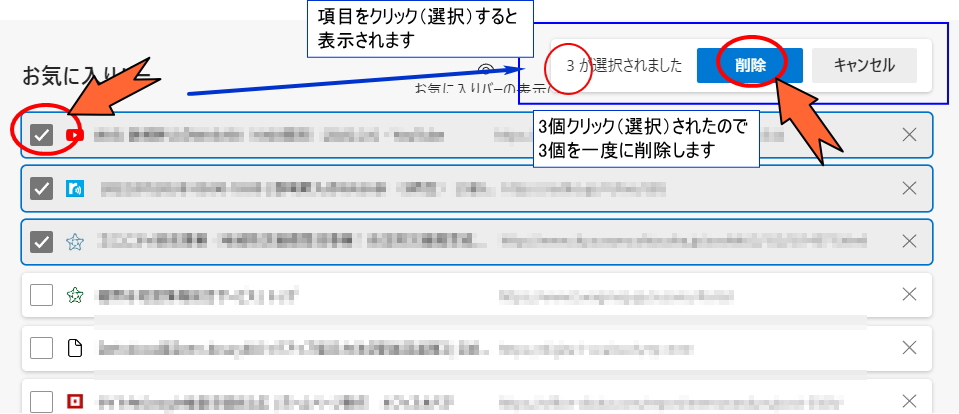
上記は「お気に入りバー」の中ですが、 画面の左下にあるフォルダーをクリックすれば、いろいろな場所を編集できますよ。
 便利な操作
便利な操作edge(エッジ)by マイクロソフトのお気に入り をまとめて削除する方法の紹介です。エッジはウィンドウズで使う、ホームページ表示ソフトです。最近は、昔のインターネットエクスプローラが使えなくなってしまって、不便に感じている方が増えています。すこしづつ便利操作を紹介します。
まずは、edge(エッジ)を起動させてくださいね。
上記は「お気に入りバー」の中ですが、 画面の左下にあるフォルダーをクリックすれば、いろいろな場所を編集できますよ。
コメント